Designs that feel like your church
Made from your answers. Swap any photo, word, font or color to match your people and your building.
A first-time guest meets your church online long before anyone shakes their hand at the door. They want a service time, an address and a sense of whether they'd belong. Good church website design makes all three easy to find. Future designs three homepages for your church in minutes, then builds out the full site, with hosting and upkeep included and edits any volunteer can make.
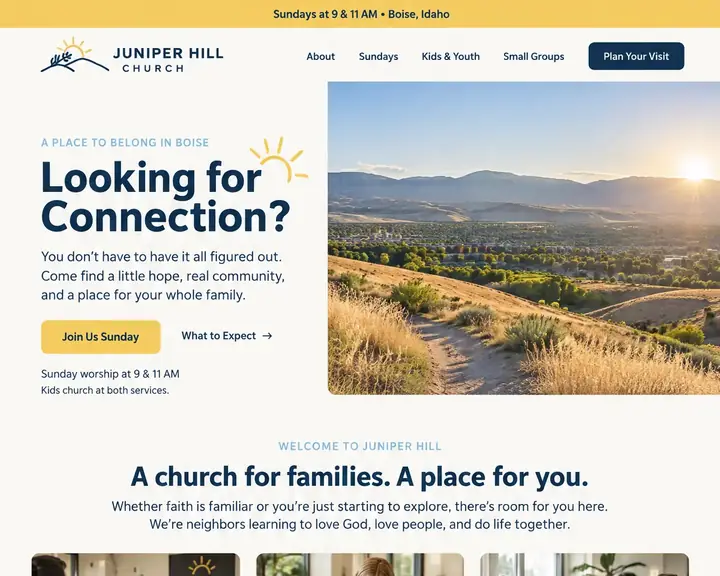
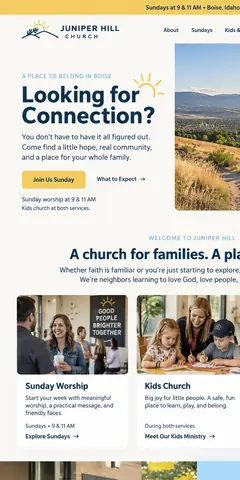
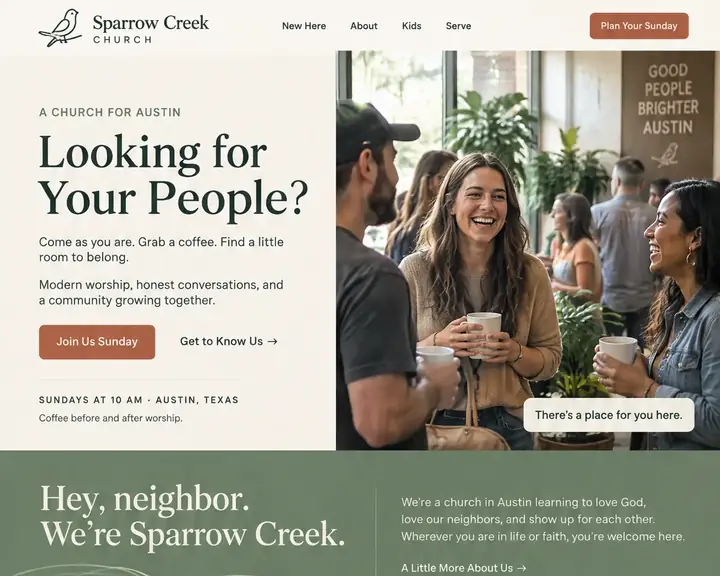
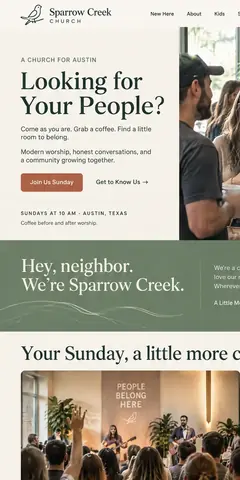
Two example homepages, two different welcomes: a bright, family-centered church with services at 9 and 11, and a warm, coffee-and-conversation church with one Sunday gathering. Both put the service times and a plan-your-visit button at the very top. Tap a design to see the whole page.
A good church website is written for the person who has never been inside. Members already know where the kids' rooms are. These are the parts that help a guest decide to come this weekend.
Every service time, the full address and a map link, near the top of the homepage. A responsive design keeps them readable on a small screen without pinching, so "Sundays at 10" is never three taps deep.
Answer what people are shy to ask: what to wear, where to park, which door to use, how long the service runs and what happens with the kids. A clear call to action on every page sends guests there.
Ages, rooms, how check-in works and who's with the children. Parents often decide the night before whether to bring the family. Show them what the morning looks like for each age, from the nursery to the youth group.
List recent messages by date, speaker and series, and link each one to wherever you post the recording. A member who missed a week can catch up, and a curious neighbor can hear what a service sounds like.
Small groups, classes, a serve day, holiday service times. A calendar from last spring tells guests nobody's minding the site. Keep it dated and easy to join; on Pro, people can sign up for events right on your site.
Put Give in the header and on a page of its own, linked to the giving service your church already uses. Explain every way to give in plain words: online, in person or by mail.
A short statement of beliefs, your tradition or affiliation, and faces and names for your pastors and ministry leaders. Skip insider words; a guest shouldn't need a dictionary to read your About page.
Large type, strong contrast and alt text on photos help older members and anyone using a screen reader. Website accessibility is about people: Future checks your text contrast and lets you describe every photo, and the words and pictures are yours to check.
Small church or large, these cover what members and guests look for. Add more as your ministries grow.
Someone new to town, or coming back to church after years away, often types "church near me" or a tradition and a town. Google answers with a map and a few churches, drawn from each one's Google Business Profile. Claim yours, list your service times and add real photos of the building and the people in it.
Then your website does the welcoming. Keep the church's name, address and service times the same on Google and on your site, and update both before holiday services. Every plan helps Google and AI assistants find you, with a clear page title, a short description and your church's details on each page.
Church websites range from a free website builder page a volunteer set up years ago to a custom site from a church design agency. Below are typical prices for each, from a design agency's price guide, and who does the work.
| Who builds it | Upfront | Each month | Who does the work | Time to see a design |
|---|---|---|---|---|
| Agency | $3,000 to $30,000+ | Often extra: hosting, changes and marketing are usually billed on top. | The agency. You review and wait. | A few weeks |
| Freelancer | $500 to $10,000+ | Hosting and changes are often billed separately. | The freelancer, while they're available. | Days to weeks |
| DIY builder | $0, plus your time | $17 to $500+ a month | You: pick a template, write it and keep it current. | After you build it |
| Future | $0 to see three designs | From $19 a month billed yearly. Pro $39, or $28 at the founding price. | Future designs and builds it. You edit by click or in plain words. | Minutes, free |
Churches often pay a hidden cost, the lost password: the volunteer who built the site moved away, and nobody can log in. Whichever route you take, register the domain name in the church's name, and choose a site your staff can update themselves, with hosting and upkeep in the price.
Sources: WebFX, How Much Does a Website Cost in 2026? (agency design, freelancer design and DIY builder rows), read October 24, 2026. Future's prices are from our plans; ranges elsewhere vary, and your quote will differ.
Your church's name, where you meet and who you are, in a sentence. "A small, friendly church with a big kids program" is plenty to start.
Three free homepages, each with a logo designed for your church. Share them with your pastor or leadership team and choose together.
Future builds out every page from the design you chose. Add service times, staff and sermons, link your giving service, and publish on your own custom domain.
Made from your answers. Swap any photo, word, font or color to match your people and your building.
Click a service time or an event to change it, press Undo if you slip, and preview the phone layout first.
The church office and a volunteer can share the work: Starter gives 2 people a login, the account owner included, while Pro allows 5 and Premier 15.
Link Give to the giving service your church already uses. That service handles the gift.
Unlimited forms on every plan, for prayer requests, questions and new-guest cards. Each one arrives by email and is saved in Contacts.
A sign-up box for members and guests who want the weekly update, with each yes saved in Contacts, ready for the email tool your church already uses.
Use your own domain on every plan, with a secure connection set up and renewed for you. Hosting, security and updates are part of the price.
Let people sign up for events, classes and serve days on your site.
Seeing three designs for your church costs nothing. Pay monthly or yearly when you choose to build and publish. 15 days money back, minus a claimed domain's cost.
Design and email limits vary by plan.
A great website, ready fast.Your website and the marketing essentials.
Billed yearly, $228 a year. Or $26/month billed monthly.
Billed monthly
Up to 50 pages and 5 GB of files · 1 new design a month · 2 team members
Everything you need to start:
Also in every plan:
Coming soon: Free domain for year one on yearly plans.
Get found, get booked, get paid.
Billed yearly, $336 a year. Or $47/month billed monthly.
Yearly plans started by November 7. Kept while your plan stays active.
New yearly sign-ups after November 7: $39/month ($468 a year).
Billed monthly
Everything in Starter, plus booking, a shop, review requests and automatic emails.
Everything in Starter, plus:
Also in every plan:
Coming soon: Gift cards, 100 text messages a month, Simple monthly report, Free domain for year one on yearly plans.
More reach, with a person on your side.
Billed yearly, $828 a year. Or $119/month billed monthly.
Yearly plans started by November 7. Kept while your plan stays active.
New yearly sign-ups after November 7: $99/month ($1,188 a year).
Billed monthly
Everything in Pro, plus:
Also in every plan:
Coming soon: 250 texts a month, AI visibility report, Weekly rank tracking, Local map rankings, AI visibility check, Monthly growth report with suggestions, Competitor watch, Your own app included, Free domain for year one on yearly plans.
See your designs and templates free, and pay when you're ready to build and publish. 15 days money back, minus a claimed domain's cost.
Prices shown are per month for yearly plans, paid in full when you buy. Monthly plans are also available. You'll see the final price, including any tax, before you pay.
Pick your design now; plans open soon.
See every plan in full →How Future compares with a one-time website build →
A web agency's own price guide puts a custom site from an agency at $3,000 to $30,000+, or $500 to $10,000+ from a freelancer, before hosting and changes. Future shows your church three designs at no charge. After that, the starting plan is $19 a month on yearly billing, with hosting, security, a logo and the use of your own domain.
Service times and the address on the homepage, a plan-your-visit page for first-time guests, what you believe, your leaders, kids and youth information, recent sermons, upcoming events, ways to give and a simple way to send a prayer request or question.
A designer gives you a custom look but often bills for changes later. A builder is yours to edit but leaves the design to you. Future does both jobs: it designs three homepages for your church, then your staff and volunteers edit everything by click.
It helps. A short address with your church's name in it is easy to announce, easy to print on a bulletin and looks established. You can connect one you own on any Future plan. A free domain for year one on yearly plans is Coming soon.
Yes. A volunteer clicks the words or photo to change, types, and can undo any slip. Give a volunteer an editor login and their changes wait as a draft until the office publishes them, so it's safe to try things.
Yes, through the giving service you already use. Put a Give button in your header and on a Give page, linked to that service. The giving service handles the gift itself.
Yes. Every Future site is laid out for small screens, and photos are sized for each one. You can preview and fine-tune the phone layout before publishing, which matters for guests who look you up from the parking lot.
Share your church's name, your town and a sentence about your congregation, and get three homepage designs to show your team.