Quote requests for every yard
A short quote form for the yard and the job. Each request reaches your inbox and your contact list, so none get lost in a text thread.
Nobody hires a landscaper from a paragraph. They hire the patio they saw, the yard that looks like the one they want, and the crew that shows up every week. Landscaping website design should put that work first. Future puts three homepage designs for your crew in front of you in minutes, then builds the site: finished yards up front, lawn care plans, seasonal services and a quote form.
Four example looks for three landscaping companies: native gardens in Raleigh, water-wise design-build in Reno and year-round care in Ann Arbor. Each puts finished outdoor spaces first, and one lays out every season from spring cleanup to snow removal. Tap a design to see the whole page.
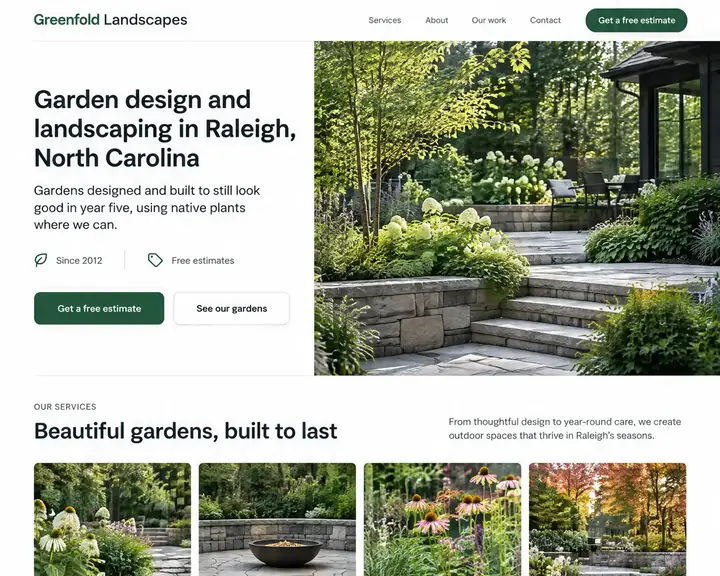
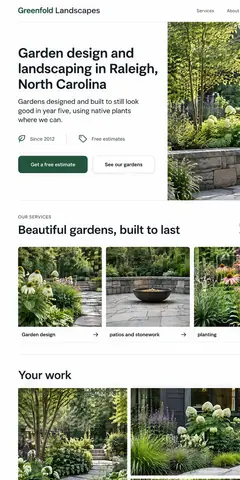
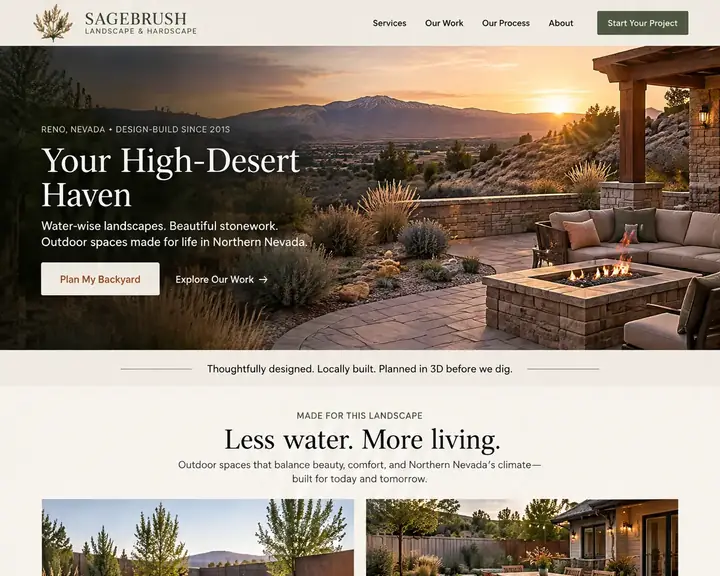
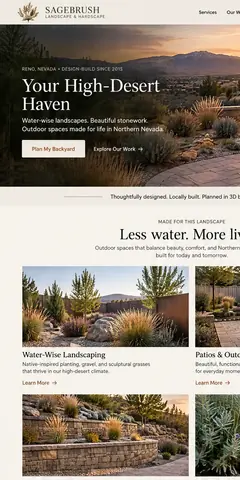
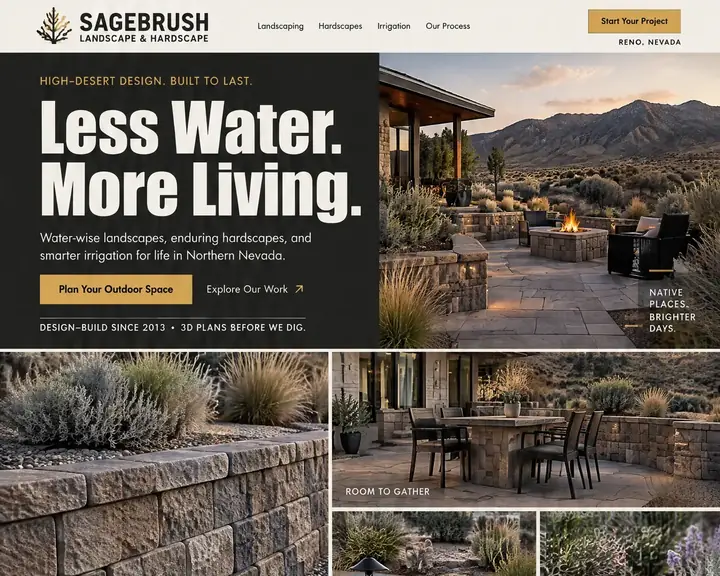
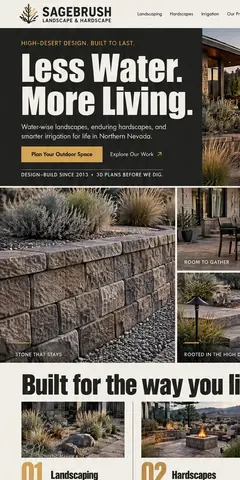
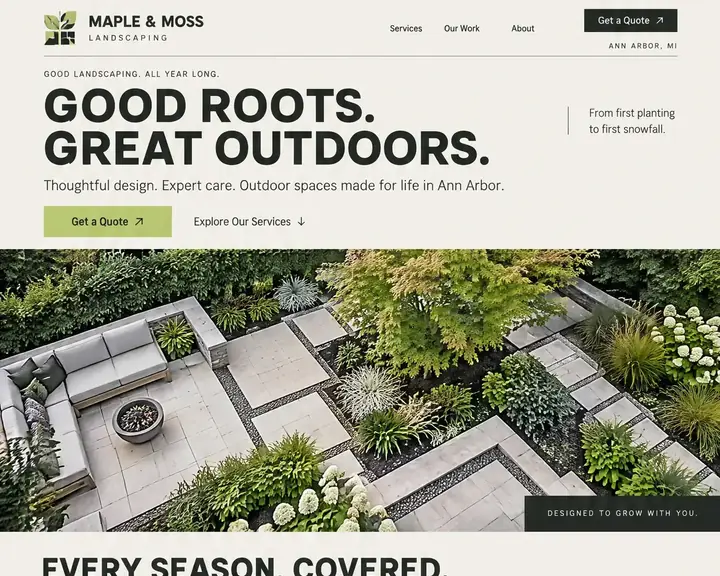
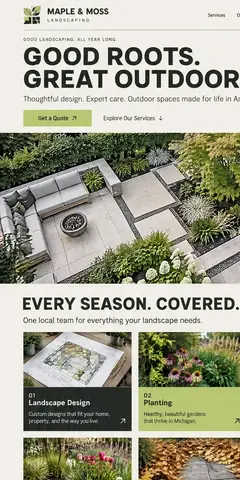
Landscaping is sold with pictures and kept with routine. Good landscaping web design does both: it shows the yards you've built, and it makes signing up for the weekly visit easy. The best landscaping websites share these parts.
Patios, plantings, retaining walls, lighting and irrigation each get their own gallery, with before-and-after pairs shot from the same corner. Describe each photo in its alt text (the plants, the stone, the town) so search engines can read it too.
Ask for the address, roughly how big the yard is, the work they want and when they'd like it done. A contact form with those four answers lets you price a mowing stop or book a design visit without phone tag.
For bigger installs, show the path from first walk-through to planting day: consultation, plan, approval, build. A plan drawing beside the finished space, as in the Reno designs above, sells the work before anyone digs.
Weekly mowing, edging, fertilizing and bed care sell best as named plans that say what each visit includes. Show a starting price if your yards are similar; if they vary a lot, say what changes the price.
Change the top of your homepage as the year turns: spring cleanups and sign-ups, summer irrigation checks, fall leaves and aeration, then snow removal if you plow. A homepage still selling spring in October looks closed for the year.
Every state certifies commercial pesticide applicators, and some license landscape contractors or irrigation work too. Show the licenses you hold and your insurance on your About page and in the footer, before anyone asks.
Lawn crews earn more when stops sit close together, so name the neighborhoods you already mow and the towns you'll travel to for installs. Give each main area a service area page that mentions the work you do there.
Place each review next to photos of the yard it talks about. Ask on the day an install wraps, or after a client's first month of mowing, when the stripes and edges still look their best.
Install crews and mowing crews need different pages. Keep the ones that match how you earn, and add a page for each town as you grow.
Few services are as local as yard work. People search "lawn mowing near me" or "landscaper" plus their town, and pick from the map Google shows. Your Google Business Profile puts you on that map, and it works best when its service area matches the neighborhoods your crews actually drive.
Your site carries the rest of your local SEO. A page per service (design, hardscapes, mowing, cleanups) and a page per main town give Google something specific to match. Spell your business name and phone the same way on every listing. Future writes a separate search title and summary for every page on every plan, so a mowing page and a patio page each stand on their own.
Photos do double duty. A finished patio added to your Google profile and your gallery in the same week shows you're busy, and a plain description of each picture on your site helps it turn up in image searches. Ask for reviews after the first month of service. With Pro, every visit booked online ends with a review request sent for you, so asking never depends on someone remembering at the end of a long mowing day.
Landscaper web design quotes run from a free template you fill in yourself to a custom build with a monthly retainer. Here are the usual prices for each route, as one published guide lists them, set against Future's plans.
| Who builds it | Upfront | Each month | Who does the work | Time to see a design |
|---|---|---|---|---|
| Agency | $3,000 to $30,000+ | Often extra: hosting, changes and marketing are usually billed on top. | The agency. You review and wait. | A few weeks |
| Freelancer | $500 to $10,000+ | Hosting and changes are often billed separately. | The freelancer, while they're available. | Days to weeks |
| DIY builder | $0, plus your time | $17 to $500+ a month | You: pick a template, write it and keep it current. | After you build it |
| Future | $0 to see three designs | From $19 a month billed yearly. Pro $39, or $28 at the founding price. | Future designs and builds it. You edit by click or in plain words. | Minutes, free |
For a lawn care company, the site's job is to fill the route in spring and keep it full; for an install crew, it's to book design visits. Either way, pick a setup where you can swap seasonal services and post new project photos yourself, the week you finish the job.
Sources: WebFX, How Much Does a Website Cost in 2026? (agency design, freelancer design and DIY builder rows), read October 24, 2026. Future's prices are from our plans; ranges elsewhere vary, and your quote will differ.
Your business name, whether you install, maintain or both, and your city. Future takes it from there.
Three free homepages for your landscaping business, ready in minutes, and every one shows off a logo designed for you.
The design you choose grows into a complete site, built with responsive design so the quote form fits a phone screen. Drop in photos of your own jobs, set this season's services and publish.
A short quote form for the yard and the job. Each request reaches your inbox and your contact list, so none get lost in a text thread.
Customers book fixed-price visits, like a first mow, an aeration or a spring cleanup, at a time that suits them.
Take a deposit when someone books a landscape design consultation, so evening walk-throughs aren't wasted.
A sign-up box for homeowners who want to hear when spring sign-ups or snow contracts open, with each yes saved in Contacts.
New customers get a welcome note, and anyone who booked a spring cleanup online hears from you when it's time for the fall one.
Soon after a mow or cleanup booked online wraps up, the customer gets your request for a review.
A heads-up the day before the crew comes, so gates are unlocked and dogs are inside.
Show your mowing neighborhoods and install towns, each on its own page, so local searches find you.
With visit paths on, a quote request shows whether that homeowner read your mowing plans or your patio gallery first, in plain words.
Seeing three designs for your business is free. You start paying when you build and publish. 15 days money back, minus a claimed domain's cost.
Design and email limits vary by plan.
A great website, ready fast.Your website and the marketing essentials.
Billed yearly, $228 a year. Or $26/month billed monthly.
Billed monthly
Up to 50 pages and 5 GB of files · 1 new design a month · 2 team members
Everything you need to start:
Also in every plan:
Coming soon: Free domain for year one on yearly plans.
Get found, get booked, get paid.
Billed yearly, $336 a year. Or $47/month billed monthly.
Yearly plans started by November 7. Kept while your plan stays active.
New yearly sign-ups after November 7: $39/month ($468 a year).
Billed monthly
Everything in Starter, plus booking, a shop, review requests and automatic emails.
Everything in Starter, plus:
Also in every plan:
Coming soon: Gift cards, 100 text messages a month, Simple monthly report, Free domain for year one on yearly plans.
More reach, with a person on your side.
Billed yearly, $828 a year. Or $119/month billed monthly.
Yearly plans started by November 7. Kept while your plan stays active.
New yearly sign-ups after November 7: $99/month ($1,188 a year).
Billed monthly
Everything in Pro, plus:
Also in every plan:
Coming soon: 250 texts a month, AI visibility report, Weekly rank tracking, Local map rankings, AI visibility check, Monthly growth report with suggestions, Competitor watch, Your own app included, Free domain for year one on yearly plans.
See your designs and templates free, and pay when you're ready to build and publish. 15 days money back, minus a claimed domain's cost.
Prices shown are per month for yearly plans, paid in full when you buy. Monthly plans are also available. You'll see the final price, including any tax, before you pay.
Pick your design now; plans open soon.
Start with the work: gather your best before-and-after photos, sorted by service. Then list your services, your towns and how people get a quote. On Future, one line about your business gets you three homepage designs, free; the one you choose becomes a full site, ready for your own yard photos.
Going by one published price guide: an agency, $3,000 to $30,000+; a freelancer, $500 to $10,000+; a do-it-yourself builder, $17 to $500+ a month. Future charges nothing to see your three designs. After that, a yearly Starter plan works out to $19 a month, and Pro, which adds booking and review requests, to $39.
For mowing and cleanups, a starting price usually helps: it saves a call for both sides and turns away yards you'd lose money on. For design and hardscape work, show a typical range or what drives the price instead, and invite a site visit for a real number.
Big photos of real finished yards, services grouped the way customers think (design, hardscapes, lawn care, seasonal work), the towns they serve, a quick quote form and reviews close to the photos. The strongest ones also change their homepage with the season.
Yes. On Pro and Premier, customers can book fixed-price visits online, like a first mow or a spring cleanup, and pay a deposit if you ask for one. Every plan includes a quote form for the yards you'd rather see first.
No. Lawn care web design and landscaping pages sit well together on one site: a lawn care section with plans and booking, and a landscaping section with design, hardscapes and project galleries. Each kind of customer finds their own pages, and you keep one Google profile and one set of reviews.
Fill in your Google Business Profile with the right category, your service area and real job photos. Give each service and each main town its own page on your site, use one name and phone number on every listing, and ask every customer for a review. No one can promise rankings, but these basics count.
Yes. Edit a price, a service or a photo with a click, or say what you want changed in plain words; check the phone view, then publish. Swap spring cleanups for leaf removal in the fall, and snow removal for spring sign-ups when winter ends.
Type your business name and town, and see three homepage designs made for your landscaping or lawn care business, free.