A design that looks like your work
Three homepages drawn for your company, each with its own logo. Pick one and swap in your own project photos.
Homeowners planning a kitchen or an addition ask three things in the first few seconds: what do you build, do you work in my town, and can I trust you in my house? Good contractor website design answers all three before they scroll. Future starts with three homepages designed for your company, ready in minutes; the one you pick becomes a site built around your projects, your towns and a detailed estimate request.
Four example looks for three builders: custom homes and major renovations in Portland, additions and light commercial work in Nashville, and commercial build-outs in Salt Lake City. Like the best remodeling websites, each leads with finished projects and a clear step-by-step process. Tap a design to see the whole page.
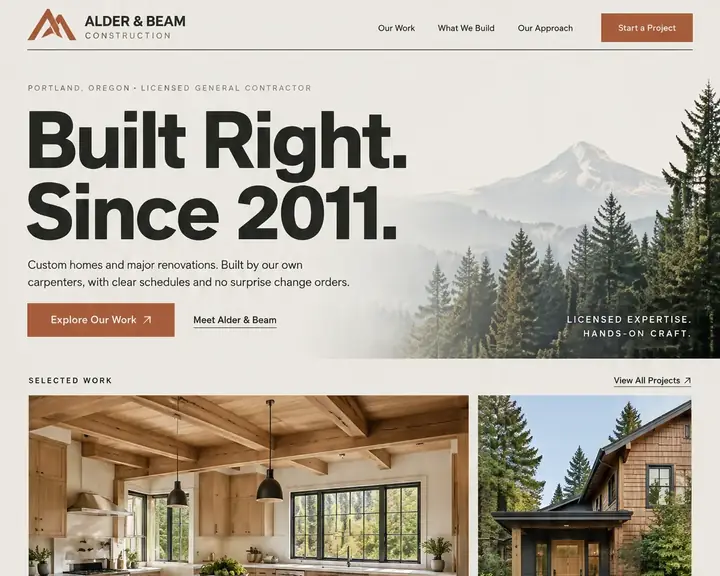
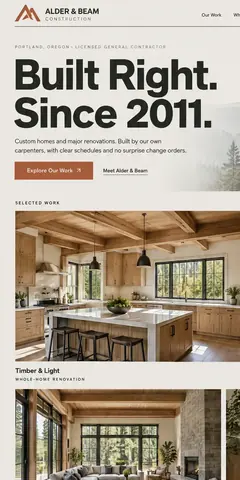
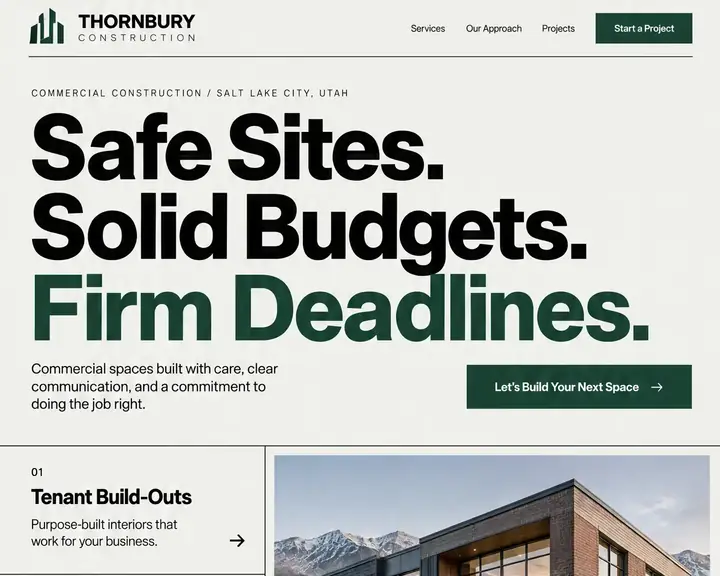
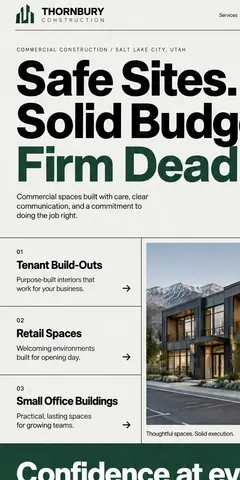
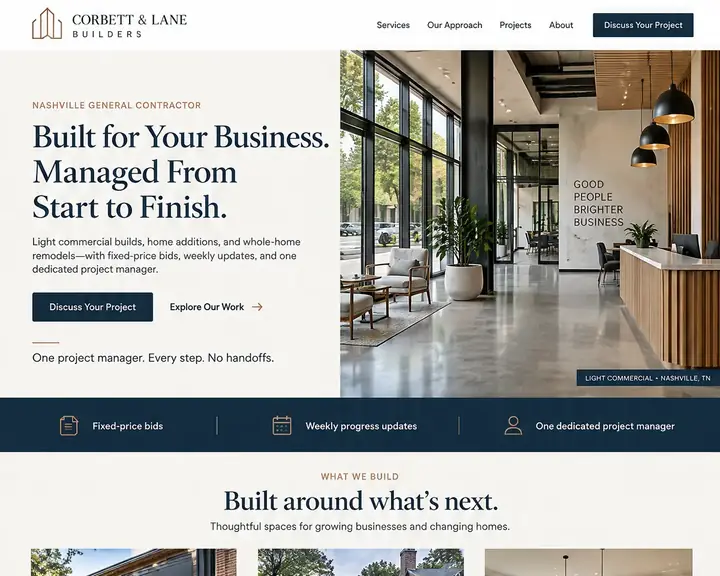
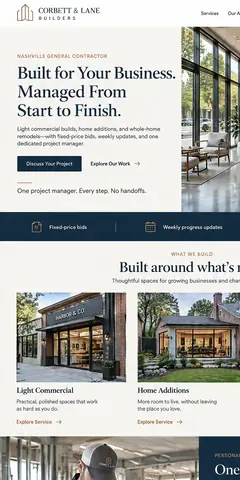
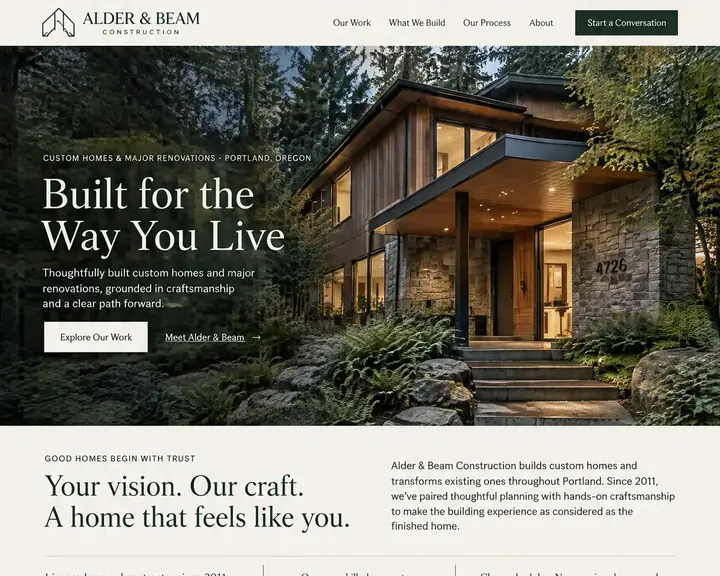
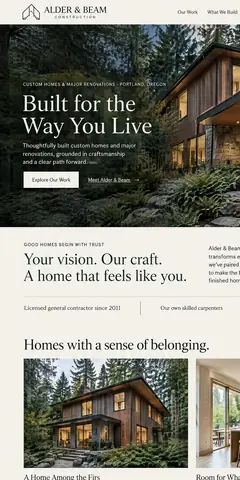
A remodel is one of the biggest checks a family writes, and everyone has heard a horror story about a contractor. Your site has to settle three worries fast: what you build, where you build it and whether you finish what you start.
Give kitchens, baths, additions, decks and basements a gallery apiece, with before-and-after shots and a line on scope and timeline. Someone planning a bathroom wants to see your bathrooms, not your best deck.
A contact form that asks the job type, a rough budget range, when they hope to start, the address and how they heard of you. You can sort a serious addition from a browsing question before the first call.
Show your license number, your liability and workers' comp coverage and any bond your state requires, in a strip under the hero and again in the footer. These are the trust signals people check before handing over a deposit.
Lay out your process in four or five steps: site visit, design and pricing, contract, build, walkthrough. Say how you handle change orders and how often clients hear from you. It answers the question nobody asks out loud.
Kitchen remodels, home additions, decks, siding and basement finishing each draw their own searches. Give each one a page that shows your work in that category and answers what people ask before hiring for it.
Contractors often cover a wide radius but name only the city they're based in. List every town and county, and give the places you want more jobs a service area page with a project from there.
Put a homeowner's words next to the photos of their kitchen, not on a separate page nobody opens. Ask for the review at the final walkthrough, while the new room still feels like a gift.
Put your workmanship warranty in writing: how long it runs and which parts of the job it covers. If a lender finances your bigger remodels, put financing on a page of its own, link the lender's application, and leave the rates to them.
Remodelers lead with kitchens and baths, general contractors with additions and whole-home work, and specialty trades with their one craft. Start from this list: good home remodeling website design keeps the pages that match what you build, and never pads with work you turn down.
Most remodeling searches name a place or say "near me": "kitchen remodeler near me", "home addition contractor" plus a town. Many of those results open with three or so builders pinned on a map, the map pack, and your Google Business Profile is what earns you one of those pins.
Your site is the other half of local SEO. Build a page around each kind of job, name your towns on pages of their own, and make the company name, address and phone match the profile character for character. On any Future plan, every project and service page carries its own search title and summary, with your business details ready for AI answers.
Photo-heavy galleries are where contractor sites tend to slow down, and page speed matters to a homeowner scrolling on one bar of signal. Future sizes every photo for the screen it's shown on, so a big kitchen gallery doesn't crawl on a phone.
Contractor web design quotes run from a do-it-yourself template to a remodeling website designer's custom build with a marketing contract attached. Below, each route's usual price from a published guide sits next to Future's own.
| Who builds it | Upfront | Each month | Who does the work | Time to see a design |
|---|---|---|---|---|
| Agency | $3,000 to $30,000+ | Often extra: hosting, changes and marketing are usually billed on top. | The agency. You review and wait. | A few weeks |
| Freelancer | $500 to $10,000+ | Hosting and changes are often billed separately. | The freelancer, while they're available. | Days to weeks |
| DIY builder | $0, plus your time | $17 to $500+ a month | You: pick a template, write it and keep it current. | After you build it |
| Future | $0 to see three designs | From $19 a month billed yearly. Pro $39, or $28 at the founding price. | Future designs and builds it. You edit by click or in plain words. | Minutes, free |
For a contractor, what a site costs matters less than what it wins: one signed remodel. Pick a route where you can post a finished project, add a service or a town and answer a new lead the same week, without paying someone for each change.
Sources: WebFX, How Much Does a Website Cost in 2026? (agency design, freelancer design and DIY builder rows), read October 24, 2026. Future's prices are from our plans; ranges elsewhere vary, and your quote will differ.
Your company name, the work you take on (remodels, additions or new homes) and your city.
Three homepages in minutes, free, logos and all, so you can put a few looks in front of your partner before choosing.
Future turns your pick into a full site, laid out with responsive design so galleries fit any phone. Add your own job photos, your towns and your license details, then publish.
Three homepages drawn for your company, each with its own logo. Pick one and swap in your own project photos.
Show each job with before-and-after photos, in galleries, slideshows or a page of its own.
Every request reaches your email and your contact list. With visit paths turned on, you also see which project pages the homeowner opened before asking.
Kitchens, additions, decks and every town you cover, with room for 150 pages on Pro and 1,000 on Premier.
When a site visit booked through your site is done, the client hears from you with a request for a review.
Track each lead through stages you name, from first call to site visit, bid and signature, with the next step in view.
See which channels bring the people who ask for estimates and book site visits, so your marketing money goes where jobs start.
Your office manager and project leads get their own logins to add projects. Starter seats 2 people, owner included; Pro seats 5.
Looking at your designs is free. Paying starts only when you build and publish. 15 days money back, minus a claimed domain's cost.
Design and email limits vary by plan.
A great website, ready fast.Your website and the marketing essentials.
Billed yearly, $228 a year. Or $26/month billed monthly.
Billed monthly
Up to 50 pages and 5 GB of files · 1 new design a month · 2 team members
Everything you need to start:
Also in every plan:
Coming soon: Free domain for year one on yearly plans.
Get found, get booked, get paid.
Billed yearly, $336 a year. Or $47/month billed monthly.
Yearly plans started by November 7. Kept while your plan stays active.
New yearly sign-ups after November 7: $39/month ($468 a year).
Billed monthly
Everything in Starter, plus booking, a shop, review requests and automatic emails.
Everything in Starter, plus:
Also in every plan:
Coming soon: Gift cards, 100 text messages a month, Simple monthly report, Free domain for year one on yearly plans.
More reach, with a person on your side.
Billed yearly, $828 a year. Or $119/month billed monthly.
Yearly plans started by November 7. Kept while your plan stays active.
New yearly sign-ups after November 7: $99/month ($1,188 a year).
Billed monthly
Everything in Pro, plus:
Also in every plan:
Coming soon: 250 texts a month, AI visibility report, Weekly rank tracking, Local map rankings, AI visibility check, Monthly growth report with suggestions, Competitor watch, Your own app included, Free domain for year one on yearly plans.
See your designs and templates free, and pay when you're ready to build and publish. 15 days money back, minus a claimed domain's cost.
Prices shown are per month for yearly plans, paid in full when you buy. Monthly plans are also available. You'll see the final price, including any tax, before you pay.
Pick your design now; plans open soon.
See every plan in full →See five website builders make the same site →
What you build, shown in project galleries by job type; the towns and counties you work in; your license, insurance and bonding; how you work from first visit to walkthrough; reviews beside the projects; your warranty; and an estimate request that asks the job type, budget range, timing and address.
By one published guide's numbers, expect $3,000 to $30,000+ from an agency and $500 to $10,000+ from a freelancer; do-it-yourself builders run $17 to $500+ a month. Seeing three designs on Future is free; when you build, you pay $19 a month for Starter or $39 for Pro, billed yearly, hosting and upkeep included.
If you want work beyond word of mouth, yes. A referred homeowner will often look you up before calling, to see projects, a license and reviews. A website is the one place you control all three, and it keeps showing your work while you're on a job site.
The designs come first: three homepages for your company, in minutes, at no cost. After you choose, Future builds out the full site, and the rest of the time is yours, picking project photos and checking every word. An agency build typically takes a few weeks.
The one that gives you a site that looks like your work and lets you add projects without help. Test any builder the same way: ask for a homepage for your company, then look for project galleries, an estimate form, your towns and your license. Future shows you three designs, free, before you pay anything.
Yes. Give each project its own page or gallery, with before-and-after photos, a line on the scope and the client's review beside it. Group them by kitchens, baths, additions or decks, and check how each gallery looks on a phone before you publish.
Yes, on Premier. Estimate requests show up as leads in the CRM pipeline, and you walk each one through your own steps, say site visit, bid sent and signed, so no bid sits forgotten in a truck's glovebox.
Yes. Click any word or photo to change it, or describe the change in plain words. Add a finished project, a new service page or a town whenever you like, and look over the phone layout before it goes live. Your words and photos belong to you, and an export of the whole site is a click away.
Tell us your company name, what you build and your city. See three homepage designs for your company, with room for your projects up front.