Three designs before a sales call
Your firm's three homepage designs arrive free, in minutes. Choose one, then change any word, photo, font or color yourself, with no developer.
Someone facing a custody fight or an injury claim compares a few firms on a phone, then calls one. Law firm web design decides which. Within minutes, with no discovery call, you're looking at three homepages made for your firm. Future then builds the site around your practice areas, your attorneys and an intake form that works on a small screen.
Four example designs for four firms: two personal injury practices, a family law attorney and a business law firm. Each one keeps a consultation button in the header, with the practice areas close behind. Tap a design to see the whole page.
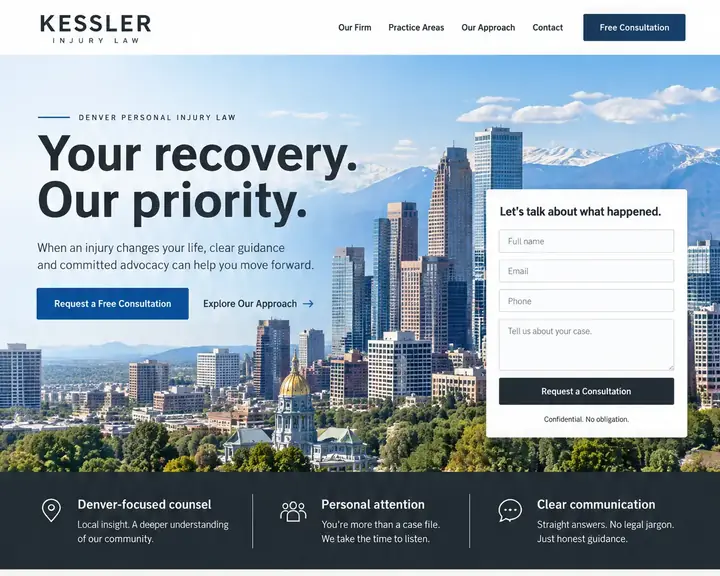
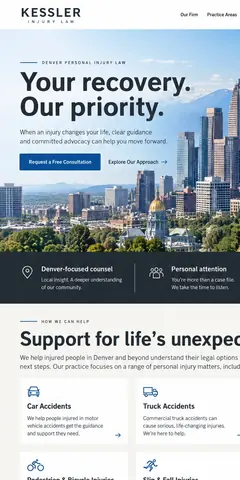
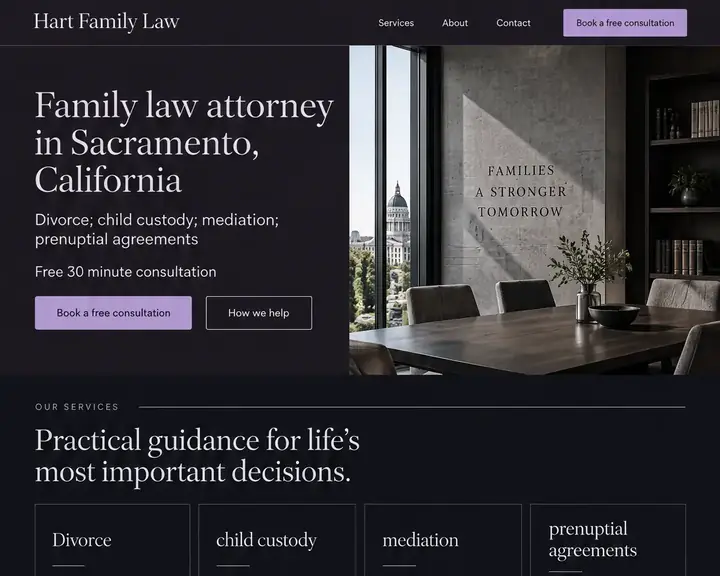

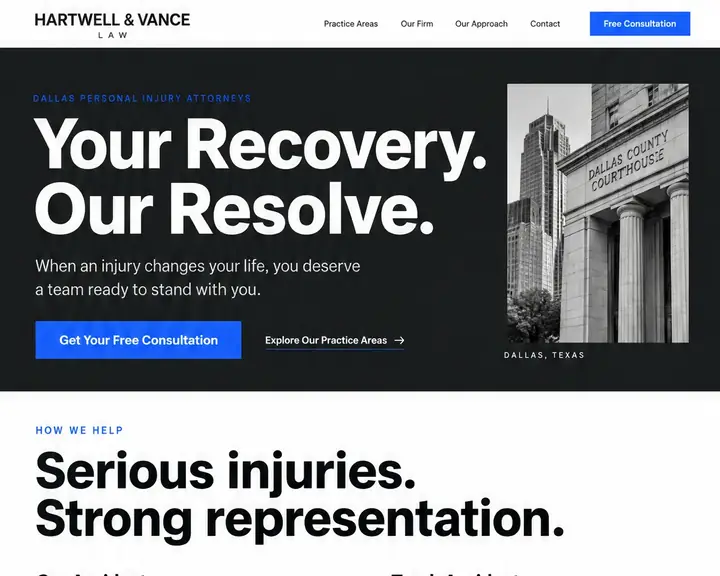
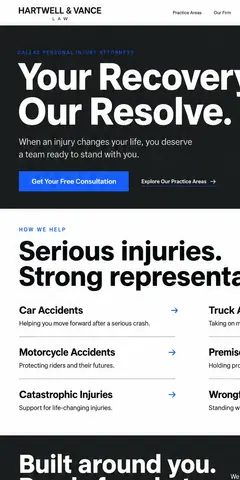
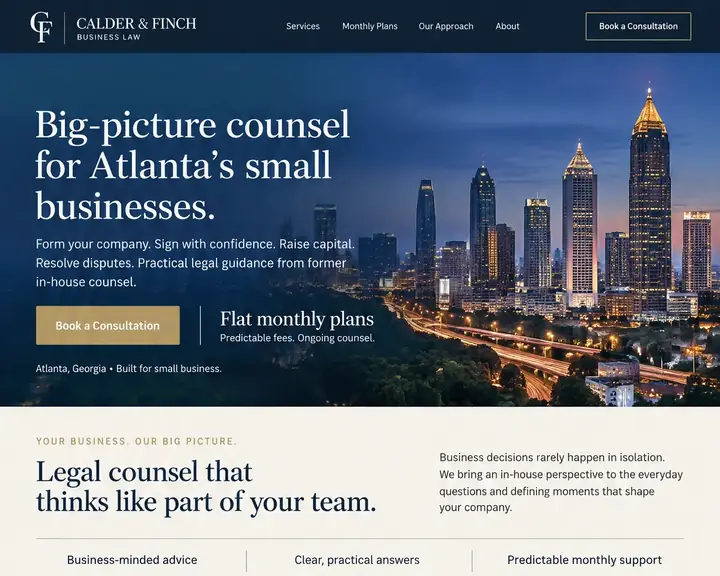

Prospective clients rarely hire the firm with the flashiest site. They rule out the firms that leave them guessing. These are the parts that keep you on the shortlist.
Nobody searches for a "full-service law firm". They search for a DUI lawyer, a probate attorney or custody help. Give each area its own page, built like a landing page: the problem in plain words, your approach and how a first consultation works.
Clients hire a person, not a letterhead. Each bio needs a real photo, education, bar admissions, the courts you appear in, languages spoken and the matters you take. Write it in the first person if that's how you talk to clients.
Many injury and family matters start on a phone, after hours. Keep the intake form short: name, phone, type of matter and the other party's name for your conflict check. Save the confidential details for the call.
Put one clear call to action at the top of every page, worded the same way each time: "Schedule a consultation" or "Talk to a lawyer today". Next to it, a click-to-call button with your number, for clients who would rather talk than type.
Case results, client testimonials and awards persuade, and state bars regulate how lawyers show them. Many require disclaimers; some limit testimonials or past results. Check your state's rules first. Future publishes only the results and reviews you add, in words you approve.
Bar admissions, years in practice, the courts and counties you work in, an office photo and a real street address are all trust signals. Put a few right under the headline, where an anxious visitor decides whether to keep reading.
"How much will this cost?" "How long does a divorce take here?" "Do I have a case?" Answer the questions you hear in every consultation, in general terms, on each practice page. A client who understands the process calls better prepared.
Say on every form that sending it doesn't create an attorney-client relationship, and keep a disclaimer page. Build for website accessibility too: readable type, real headings and labeled form fields, so every prospective client can reach you.
A small firm can launch with eight or nine pages and add one practice area at a time. Here they are in the order a prospective client reads them.
Searches for a lawyer usually pair the problem with a place: "divorce lawyer Sacramento" or "car accident attorney near me". Google answers with a map of nearby firms, filled from each firm's Google Business Profile, then the regular results. A page for each matter you take, with your city named, helps you show up in both.
More and more, the first answer comes from AI. Google's AI Overviews and chat assistants summarize who handles a matter nearby, and they quote firms' own websites. Clear practice pages, real attorney bios and a plain description of where you practice give them something accurate to say about you.
Whatever plan you choose, Future gives each page a title and description written for search, keeps your firm's details in a header and footer shared by every page, and drafts an about section from your intake answers for the partners to review. It also adds the structured data search engines read, so they and AI answers have the facts.
Reviews weigh heavily when someone picks a lawyer, and replying takes extra care. Thank people briefly, and never reveal anything about a person's matter in public, even to answer an unfair review; a short reply that doesn't discuss the case, or none at all, is the safe course. If your state has rules on replying to or asking for reviews, follow them.
Legal-only agencies rarely publish prices; most quote after a discovery call and a proposal. The table below shows published ranges for each route, plus Future's own plans, so you can compare before anyone schedules a meeting.
| Who builds it | Upfront | Each month | Who does the work | Time to see a design |
|---|---|---|---|---|
| Agency | $3,000 to $30,000+ | Often extra: hosting, changes and marketing are usually billed on top. | The agency. You review and wait. | A few weeks |
| Freelancer | $500 to $10,000+ | Hosting and changes are often billed separately. | The freelancer, while they're available. | Days to weeks |
| DIY builder | $0, plus your time | $17 to $500+ a month | You: pick a template, write it and keep it current. | After you build it |
| Future | $0 to see three designs | From $19 a month billed yearly. Pro $39, or $28 at the founding price. | Future designs and builds it. You edit by click or in plain words. | Minutes, free |
For a firm, the costly part is rarely the build. It's the consultation that never happened because the intake form broke on a phone, or the new practice area that waited weeks in someone's queue. Ask who makes changes, how fast, and what each one costs.
Sources: WebFX, How Much Does a Website Cost in 2026? (agency design, freelancer design and DIY builder rows), read October 24, 2026. Future's prices are from our plans; ranges elsewhere vary, and your quote will differ.
Your firm's name, your main practice area and your city. No discovery call, and no proposal to wait for.
Three different homepages for your firm, free, each with its own logo and a consultation button where clients look first. Show your partners before anyone signs anything.
Your pick becomes the full site. Add a page per practice area and per attorney, replace every sample word, and publish when the firm signs off.
Your firm's three homepage designs arrive free, in minutes. Choose one, then change any word, photo, font or color yourself, with no developer.
A page per practice area, attorney and office, each with its own search title. 50 pages fit on Starter, 150 on Pro, 1,000 on Premier.
A photo, background, bar admissions and the matters each lawyer handles. Nothing goes live until you approve it.
Consultation and case-review forms on any page, on every plan. Every request is emailed to you and saved in Contacts.
Prospective clients choose a time for a first consultation, with a calendar for each attorney, set by that attorney's own hours.
Turn on visit paths and every consultation request lists the practice pages that person read before asking for help.
Move every lead through stages you name, from new inquiry to consultation to signed engagement, so you always know who needs a call back.
A welcome email after someone's first consultation request, sent only to people who agreed to hear from you. Pro runs 3 automations; Premier, unlimited.
Lean pages, images sized for each screen and no outside tracking code unless you add it, so a client on a weak signal still reaches your intake form.
No proposal to wait for: the plans and prices are right here. Your firm's designs cost nothing to see, and billing starts when you build and publish. 15 days money back, minus a claimed domain's cost.
Design and email limits vary by plan.
A great website, ready fast.Your website and the marketing essentials.
Billed yearly, $228 a year. Or $26/month billed monthly.
Billed monthly
Up to 50 pages and 5 GB of files · 1 new design a month · 2 team members
Everything you need to start:
Also in every plan:
Coming soon: Free domain for year one on yearly plans.
Get found, get booked, get paid.
Billed yearly, $336 a year. Or $47/month billed monthly.
Yearly plans started by November 7. Kept while your plan stays active.
New yearly sign-ups after November 7: $39/month ($468 a year).
Billed monthly
Everything in Starter, plus booking, a shop, review requests and automatic emails.
Everything in Starter, plus:
Also in every plan:
Coming soon: Gift cards, 100 text messages a month, Simple monthly report, Free domain for year one on yearly plans.
More reach, with a person on your side.
Billed yearly, $828 a year. Or $119/month billed monthly.
Yearly plans started by November 7. Kept while your plan stays active.
New yearly sign-ups after November 7: $99/month ($1,188 a year).
Billed monthly
Everything in Pro, plus:
Also in every plan:
Coming soon: 250 texts a month, AI visibility report, Weekly rank tracking, Local map rankings, AI visibility check, Monthly growth report with suggestions, Competitor watch, Your own app included, Free domain for year one on yearly plans.
See your designs and templates free, and pay when you're ready to build and publish. 15 days money back, minus a claimed domain's cost.
Prices shown are per month for yearly plans, paid in full when you buy. Monthly plans are also available. You'll see the final price, including any tax, before you pay.
Pick your design now; plans open soon.
See every plan in full →Compare five builders on the same request →
Going by one agency's 2026 price guide, custom agency builds cost $3,000 to $30,000+ and freelancers charge $500 to $10,000+; legal-only agencies usually quote after a discovery call. On Future, looking at three designs for your firm is free; plans begin at $19 a month on yearly billing, hosting and security included, and consultation booking is part of Pro.
With an agency, expect weeks of discovery, drafts and revisions before launch. With Future, three homepage designs for your firm are ready within minutes, free. After you pick one, most of the remaining time is yours: writing practice pages and bios, and getting the partners to sign off.
Your domain, your words and photos, and the details of everyone who contacts you are yours, and your content can be exported whenever you want a copy. Ask for a refund within 15 days and you're repaid in full, less a claimed domain's cost, and that domain stays with the firm.
A legal-only agency brings legal marketing experience, a discovery process and its own timeline. A website builder gets you live sooner, and you make your own changes. Future gives you both halves: designs made for your firm in minutes, practice-area pages, intake and booking built in, and a person to help when you need one.
Look for five things: a separate page for each practice area, intake forms that work on a phone, consultation booking, fast pages, and editing you can do between hearings. Make sure the domain and content stay yours. Future covers all five, with booking on Pro and Premier, and you see three designs for your firm before you pay anything.
AI answers lean on firms' own websites, so give them clear facts: one page per practice area, attorney bios with bar admissions and courts, your offices and the cities you serve, and plain answers to common questions. Every Future plan sets up page titles, descriptions and an about section written for search engines and AI answers.
No. Future doesn't review your content for legal, ethics or advertising rules. You choose and approve every word, and your firm stays responsible for what the site says. Put your disclaimer in every page's footer, on its own page, or both.
Yes, on Pro and Premier. A prospective client picks a free time on the right attorney's calendar, and the booking lands in Contacts beside any intake form they sent. If your practice management software already handles scheduling, point your Book button at it.
Your firm's name, main practice area and city are all Future needs. Three homepage designs come back in minutes, with no discovery call on the calendar.