Designs for your electrical business
Three homepage options and a logo, made from what you tell us about your work. You pay only to build and publish.
Before anyone lets you open their panel, they want to know two things: that you can do the job, and that you hold the license to do it. Good electrician website design answers both on the first screen. Future designs three homepages for your electrical business, free, in minutes, then builds a site with a page for every job and your license up front.
Four example designs across three electrical companies: navy and gold for older homes, a bold generator-first design for storm country, and two looks for a firm serving homes and small businesses. Each puts licensing or a master electrician's experience near the top. Tap a design to see the whole page.
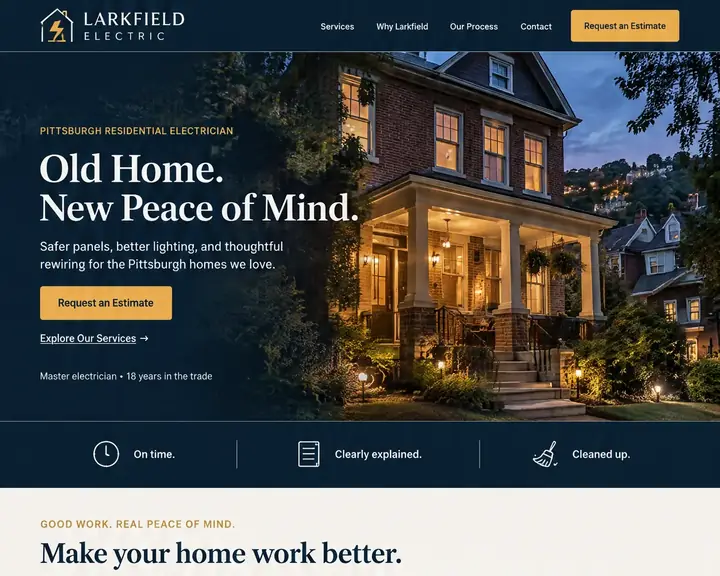
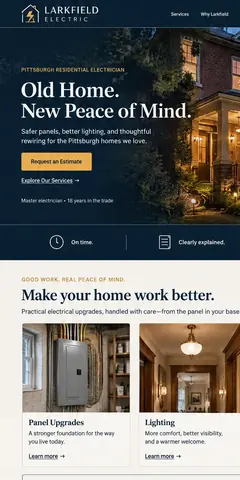
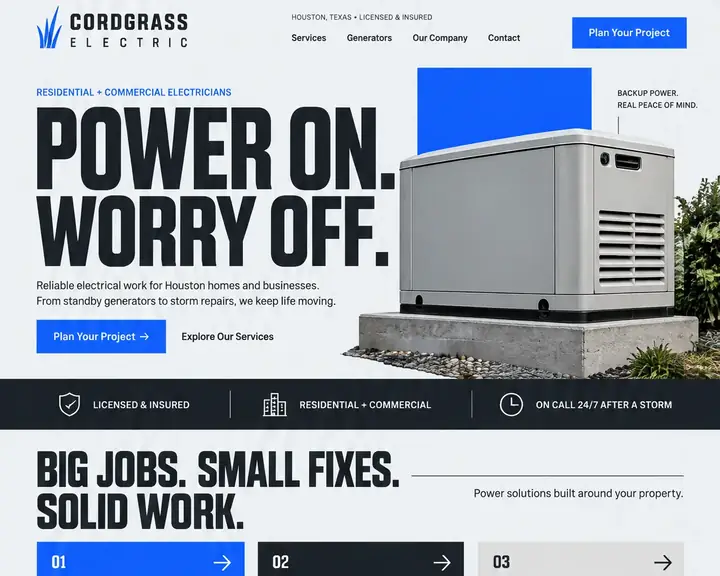
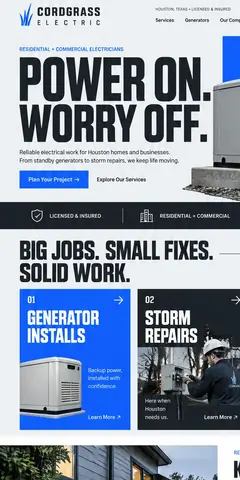
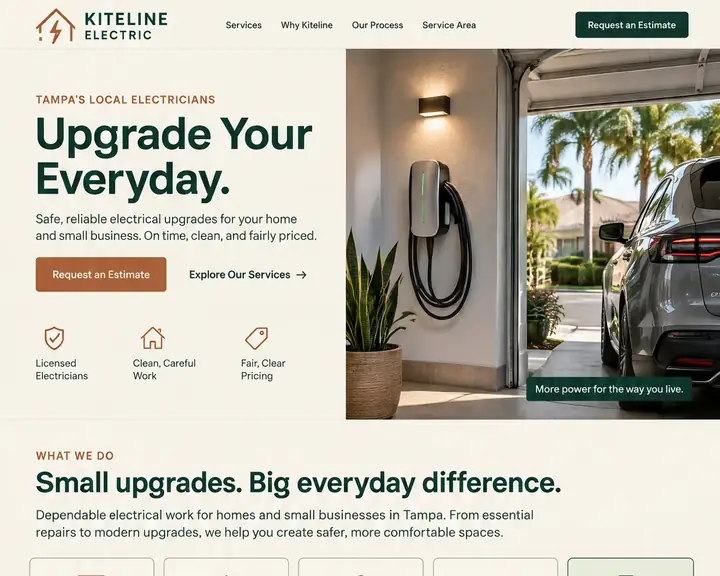
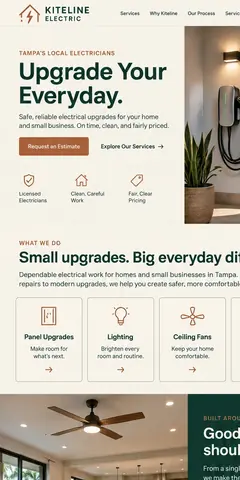
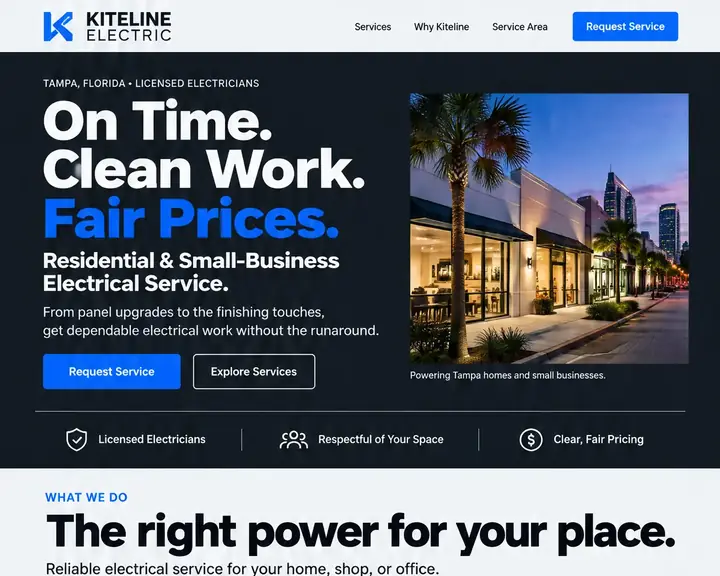
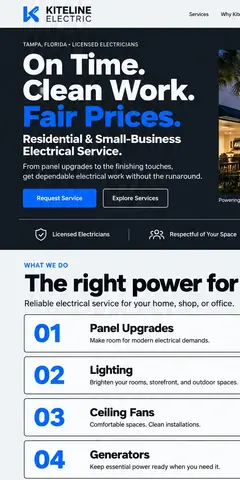
Electrical work makes customers careful. Before they call, they look for proof you're qualified, signs you've done their exact job, and a sense of what it involves. These eight parts supply all three.
Put your electrical license number near the top, say you carry liability insurance, and say whether you pull permits and book the inspection. For electrical work these trust signals count for more than any slogan.
Nobody searches "electrician" when they want a Level 2 charger in the garage. They search the job: panel upgrade, generator install, recessed lighting, rewiring. A page for each, with the signs, the steps and the permit, catches those searches.
Explain why an older 100-amp panel often can't take an EV charger, a heat pump or a kitchen remodel, how a load calculation decides, what the upgrade involves, who coordinates with the utility and how long the power stays off.
Will my panel handle a charger? Do I need a transfer switch? Who pulls the permit? Answer these on your EV charger and standby generator pages, and link to any utility rebates that apply.
Say what can't wait (sparks, a burning smell, a hot outlet, a breaker that won't reset, a service mast pulled down in a storm), what to do first, and how to reach you. Put a click-to-call button right under it.
A homeowner wants a tidy crew and a clear quote. A property manager wants a certificate of insurance, a bid and someone to call after hours. Give residential and commercial work their own pages and their own forms.
If you work in older neighborhoods, name what you fix: knob-and-tube, aluminum branch wiring, two-prong outlets, panels people worry about. Buyers holding a home inspection report and a closing date look for exactly that.
A contact form that asks the home's age, the panel's size if they know it and what they want to add means you arrive prepared, and the customer can tell you know the job.
Lead with proof and urgent help, then a page per job, then the commercial side and your towns. Every job you add later can get its own page.
Yes. When someone searches "electrician near me," your Google Business Profile is what gets you into the map pack. But a profile holds a few lines, a services list and some photos. It can't walk a homeowner through a panel upgrade, show your license in full or let a property manager request a bid.
Your site also helps the profile show up for specific jobs. A page for EV charger installation, another for generators and one for each town you serve give Google more reasons to show you when people nearby search for that work. Use the same business name and phone number on both.
Electricians who run Google Local Services Ads pay per lead, and Google screens the businesses behind them. A homeowner who finds you through an ad and then checks your site should see the same license details, insurance and reviews there, not a different story.
On every plan, Future writes each page's search title and summary and repeats your business details, so search engines can tell what you do and where. AI assistants often cite business websites when they answer local questions, one more reason to give each job its own page.
An electrician's site grows with the trade: a page when you start installing EV chargers, another for generators, a commercial page when bids start coming in. Below are the common ways to get one built, with ranges from a published price guide.
| Who builds it | Upfront | Each month | Who does the work | Time to see a design |
|---|---|---|---|---|
| Agency | $3,000 to $30,000+ | Often extra: hosting, changes and marketing are usually billed on top. | The agency. You review and wait. | A few weeks |
| Freelancer | $500 to $10,000+ | Hosting and changes are often billed separately. | The freelancer, while they're available. | Days to weeks |
| DIY builder | $0, plus your time | $17 to $500+ a month | You: pick a template, write it and keep it current. | After you build it |
| Future | $0 to see three designs | From $19 a month billed yearly. Pro $39, or $28 at the founding price. | Future designs and builds it. You edit by click or in plain words. | Minutes, free |
For an electrician, the expensive website is the one that looks unlicensed or stale. A homeowner choosing who opens their panel picks the company showing its license and recent work. Whatever you choose, make sure you can post a finished job or a new service page yourself.
Sources: WebFX, How Much Does a Website Cost in 2026? (agency design, freelancer design and DIY builder rows), read October 24, 2026. Future's prices are from our plans; ranges elsewhere vary, and your quote will differ.
Give your business name, your city and the jobs you want more of, like "panel upgrades and EV chargers." Future works from that.
Three looks for your electrical business arrive in minutes, at no charge, and every one has its own logo.
Future turns your pick into the whole site. Add pages for panels, chargers and generators, a commercial page and your license details, then publish when it reads right.
Three homepage options and a logo, made from what you tell us about your work. You pay only to build and publish.
Panels, EV chargers, generators, lighting: Starter holds up to 50 pages and Pro 150, each with its own search title and description.
One quote form for homeowners, another for property managers and builders. Both go to your inbox and your contact list.
Track each commercial lead from first call to signed job in the CRM pipeline.
Let customers book a safety inspection or a troubleshooting visit online, at times you choose.
A year after a generator service that was booked online, Future emails the owner to book the next one.
Once an online-booked job is finished, the customer gets a short note from you asking for a review.
Your estimator or office manager signs in as themselves. Seats include yours: 2 on Starter, 5 on Pro, 15 on Premier.
Looking at your three electrician designs is free. Building and publishing is what you pay for. 15 days money back, minus a claimed domain's cost.
Design and email limits vary by plan.
A great website, ready fast.Your website and the marketing essentials.
Billed yearly, $228 a year. Or $26/month billed monthly.
Billed monthly
Up to 50 pages and 5 GB of files · 1 new design a month · 2 team members
Everything you need to start:
Also in every plan:
Coming soon: Free domain for year one on yearly plans.
Get found, get booked, get paid.
Billed yearly, $336 a year. Or $47/month billed monthly.
Yearly plans started by November 7. Kept while your plan stays active.
New yearly sign-ups after November 7: $39/month ($468 a year).
Billed monthly
Everything in Starter, plus booking, a shop, review requests and automatic emails.
Everything in Starter, plus:
Also in every plan:
Coming soon: Gift cards, 100 text messages a month, Simple monthly report, Free domain for year one on yearly plans.
More reach, with a person on your side.
Billed yearly, $828 a year. Or $119/month billed monthly.
Yearly plans started by November 7. Kept while your plan stays active.
New yearly sign-ups after November 7: $99/month ($1,188 a year).
Billed monthly
Everything in Pro, plus:
Also in every plan:
Coming soon: 250 texts a month, AI visibility report, Weekly rank tracking, Local map rankings, AI visibility check, Monthly growth report with suggestions, Competitor watch, Your own app included, Free domain for year one on yearly plans.
See your designs and templates free, and pay when you're ready to build and publish. 15 days money back, minus a claimed domain's cost.
Prices shown are per month for yearly plans, paid in full when you buy. Monthly plans are also available. You'll see the final price, including any tax, before you pay.
Pick your design now; plans open soon.
It proves you're qualified and shows you've done the exact job. That means your license number and insurance near the top, a page for each job people search, a clear line on urgent work, separate home and business sections, reviews, and a quote form that asks the right questions.
Show how you price, even if every job is quoted: whether estimates are free, whether a service call fee applies and comes off the work, and typical ranges for set jobs like a charger install if your prices are steady. It saves you calls that were never a fit.
It depends who builds it. One published guide prices freelancers at $500 to $10,000+ up front and agencies at $3,000 to $30,000+, while do-it-yourself builders charge $17 to $500+ a month. Future costs nothing until you're ready to publish, then starts at $19 a month billed yearly; hosting and security are part of every plan.
With Future, three homepage designs appear in minutes, free. After you pick one, the time goes into your own content: job pages, license details and photos of finished work. Publish when it's ready, and add pages any time after.
Look for one that lets you add a page per job without a designer, keeps your number one tap away on phones, handles hosting and security, and offers booking and quote forms. Future does all four, and designs the site for your business before you pay.
Yes, and it helps both sides. Homeowners get pages about ceiling fans and panel swaps; property managers get a commercial page and a bid request form, so each lands in the right place. Every request still reaches your email and your contacts.
Near the top of the homepage, in the footer of every page and on your licensing page. If your state or city has rules about showing it in advertising, follow them; you can edit the wording any time.
Enter your business name and city to see three homepage designs for your electrical business in minutes. Free to look; pay when you build and publish.