Designs with your restaurant's character
Made from your answers, then yours to change: photos, words, fonts and colors, until it feels like your place.
Good restaurant website design starts with the menu, not the logo. People pick where to eat on a phone, often from the car, and they want three answers fast: what you serve, when you're open and how to order or book. Future designs three homepages for your place in minutes, then builds a site where the menu is a real page and your hours show on every page.
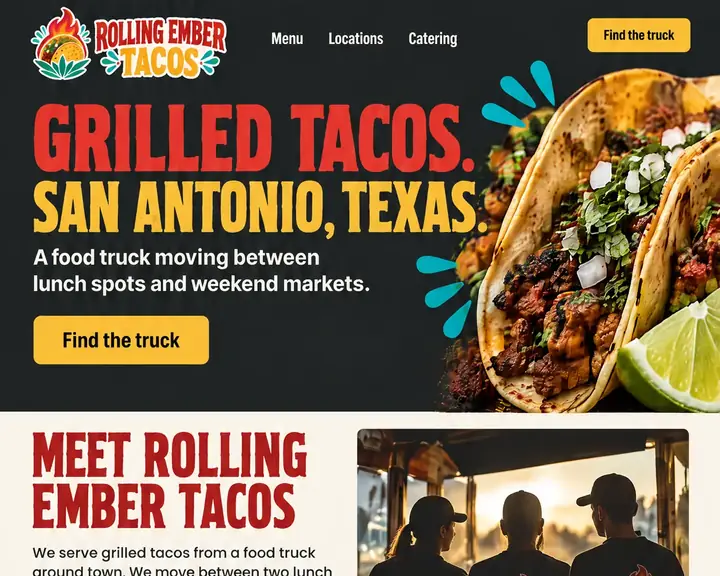
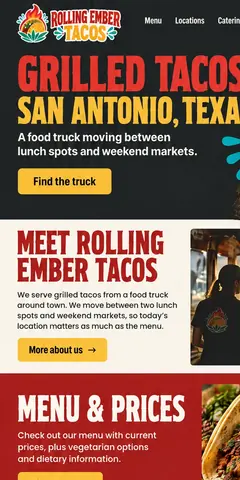
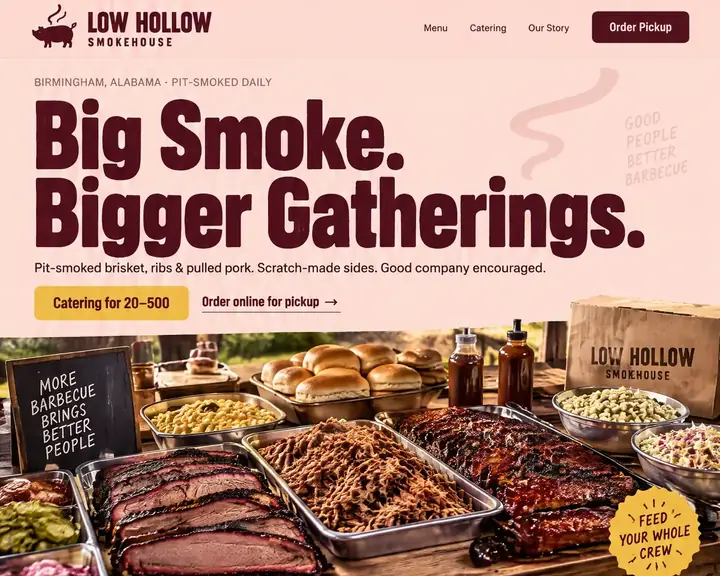
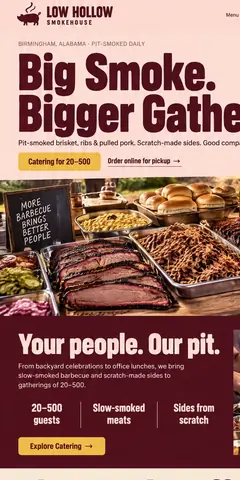
Three different places, four example homepages: a taco truck, a barbecue smokehouse in two looks and a Mexican kitchen with a patio. Each leads with its main action, from Find the truck to Book a Table, with the menu one tap away. Tap a design to see the whole page.
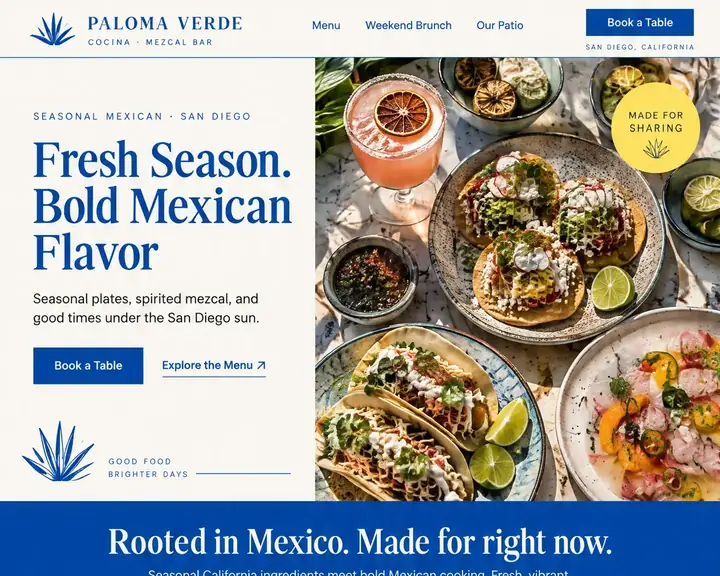
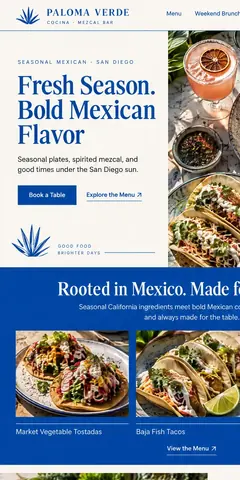
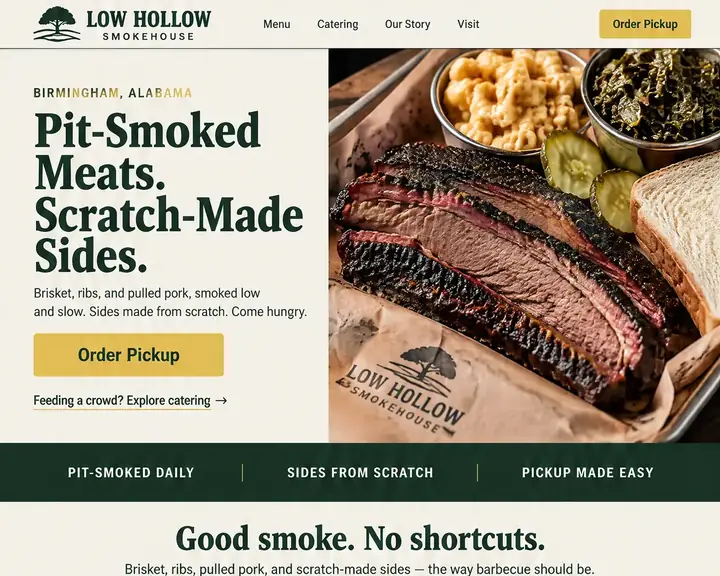
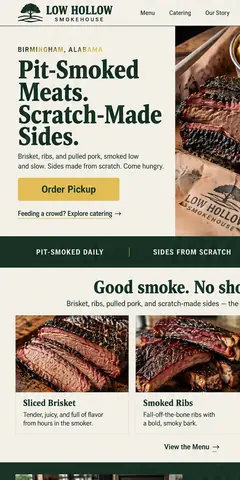
Diners are hungry and in a hurry, and most of them are holding a phone. Every Future site uses responsive design, so each page rearranges itself for a small screen. These are the parts that turn a quick look into a table.
A PDF menu means pinching and zooming on a phone, and it's the file nobody remembers to update. Put every dish on a page as text, with prices and dietary notes like vegetarian, gluten-free or contains nuts.
Put both in the header, above the fold on every page, and point them at the online ordering and reservation services you already work with. A button at the top of the screen beats a link buried in the footer.
Closed Mondays, kitchen closes at nine, brunch only on weekends: say it plainly, in the footer of every page. Keep your name, address and phone exactly as they read on Google (NAP), and post holiday hours early.
A map is a start. Add the cross street, where to park, whether the patio has its own entrance and if there's a step at the door. A first-time guest circling the block shouldn't need to call.
Real plates from your kitchen and the room people will sit in. Describe each one with alt text, and let Future size every photo for the screen it's on, which keeps page speed up on a weak signal.
A party of forty starts with a date, a headcount, a budget and pickup or delivery. A short inquiry form asks for all of it, and every request arrives in your inbox and your Contacts list.
Taco Tuesday, a wine dinner, trivia night, the fall menu. Keep them current, and add a sign-up box for regulars who want to hear first. On Pro, guests can reserve a seat at a tasting or class with online booking.
Two locations with different hours deserve two pages, each with its own address, phone and menu notes. A food truck needs this week's stops in one place, updated before the lunch rush.
Most restaurants need fewer pages than they think, and better ones. Start here, and add pages as you grow.
Most restaurant searches are hungry and close by: "tacos near me", "brunch open now", "barbecue catering". The results open with the map pack, a handful of places on a map, pulled from each restaurant's Google Business Profile. Your hours, photos, menu link and reviews on that profile decide who makes the list.
Your website is where people go to check. Keep the same name, address and phone on both, and write the menu as text, so a search for a dish can find the place that serves it. Future handles the search basics on every plan: a plain title, a description and your restaurant's details on each page, so Google and AI answers can read them.
Local SEO for a restaurant also runs on fresh signals. New photos, current hours and recent reviews show searchers you're open and busy. Reply to every review in a sentence or two, and thank the regulars by name when they post.
A restaurant website can be a single menu page or a site for three locations. What you pay depends on who designs it and who keeps the menu current. The table shows typical prices for each route, as one web agency publishes them.
| Who builds it | Upfront | Each month | Who does the work | Time to see a design |
|---|---|---|---|---|
| Agency | $3,000 to $30,000+ | Often extra: hosting, changes and marketing are usually billed on top. | The agency. You review and wait. | A few weeks |
| Freelancer | $500 to $10,000+ | Hosting and changes are often billed separately. | The freelancer, while they're available. | Days to weeks |
| DIY builder | $0, plus your time | $17 to $500+ a month | You: pick a template, write it and keep it current. | After you build it |
| Future | $0 to see three designs | From $19 a month billed yearly. Pro $39, or $28 at the founding price. | Future designs and builds it. You edit by click or in plain words. | Minutes, free |
For a restaurant, the cost that hurts is the stale menu. A price change, a seasonal dish or holiday hours shouldn't need a designer's invoice or a fresh PDF. Whichever route you take, make sure you can change the menu and hours yourself, the same day they change.
Sources: WebFX, How Much Does a Website Cost in 2026? (agency design, freelancer design and DIY builder rows), read October 24, 2026. Future's prices are from our plans; ranges elsewhere vary, and your quote will differ.
Your restaurant's name, what you serve and your city. One line, such as "family taqueria with a patio and weekend brunch", is all Future needs to begin.
Three homepages in three different styles, each with its own logo for your restaurant. Pick the one that feels most like your dining room.
Future turns your favorite into a full site. Type in your dishes and prices, set your hours, point Order and Reserve at your services, and publish.
Made from your answers, then yours to change: photos, words, fonts and colors, until it feels like your place.
Dishes and prices on a real page. Change a price or add tonight's special in a click, or lay it out as a table.
Opening times, holiday changes, the address and a phone number that dials in one tap.
Send guests to the ordering, delivery and reservation services you already have.
Each catering or party request goes to your email and stays in Contacts.
Future sizes each photo for the screen it's on, and leaves out third-party tracking code unless you choose to add it.
Guests can reserve a spot at a tasting, a cooking class or a holiday dinner.
A sign-up box for guests who want the new menu and event news first, with each yes saved in Contacts.
Sell gift cards right from your website.
See three designs for your restaurant free, and the first payment comes when you build and publish. 15 days money back, minus a claimed domain's cost.
Design and email limits vary by plan.
A great website, ready fast.Your website and the marketing essentials.
Billed yearly, $228 a year. Or $26/month billed monthly.
Billed monthly
Up to 50 pages and 5 GB of files · 1 new design a month · 2 team members
Everything you need to start:
Also in every plan:
Coming soon: Free domain for year one on yearly plans.
Get found, get booked, get paid.
Billed yearly, $336 a year. Or $47/month billed monthly.
Yearly plans started by November 7. Kept while your plan stays active.
New yearly sign-ups after November 7: $39/month ($468 a year).
Billed monthly
Everything in Starter, plus booking, a shop, review requests and automatic emails.
Everything in Starter, plus:
Also in every plan:
Coming soon: Gift cards, 100 text messages a month, Simple monthly report, Free domain for year one on yearly plans.
More reach, with a person on your side.
Billed yearly, $828 a year. Or $119/month billed monthly.
Yearly plans started by November 7. Kept while your plan stays active.
New yearly sign-ups after November 7: $99/month ($1,188 a year).
Billed monthly
Everything in Pro, plus:
Also in every plan:
Coming soon: 250 texts a month, AI visibility report, Weekly rank tracking, Local map rankings, AI visibility check, Monthly growth report with suggestions, Competitor watch, Your own app included, Free domain for year one on yearly plans.
See your designs and templates free, and pay when you're ready to build and publish. 15 days money back, minus a claimed domain's cost.
Prices shown are per month for yearly plans, paid in full when you buy. Monthly plans are also available. You'll see the final price, including any tax, before you pay.
Pick your design now; plans open soon.
See every plan in full →Five website builders, one request: compare the results →
According to one web agency's price guide, an agency usually charges $3,000 to $30,000+ for a site and a freelancer $500 to $10,000+; building it yourself costs $17 to $500+ a month. Your three restaurant designs on Future cost nothing to see, and Starter is $19 a month, paid yearly, with hosting and a logo included.
Not as your main menu. A PDF is slow to open on a phone, hard to read without zooming and easy to leave out of date. Put the menu on a web page as text, with prices and dietary notes. Keep a printable PDF as an extra for catering clients who ask.
The one that gets your menu, hours and Order and Reserve buttons right on a phone, and that you'll actually keep current. Future lets you judge the design before you pay: it makes three homepages for your restaurant, free, and you only pay to publish the one you like.
Start with what diners check: the menu, hours, address and a way to order or book. Put those on the first screen of a phone, add real photos of your food and room, then give catering, private events and each location their own page. Match every detail to your Google profile.
Yes. Your Order and Reserve buttons can link straight to the ordering, delivery and reservation services you use today. Guests order and book there; your website sends them to it.
Yes. A delivery app lists you beside every other kitchen in town, and social posts bury your hours under last week's photos. Your own site is the one place you control the menu, prices and story, and it's one of the places Google and AI answers look for your details.
Yes. Click a dish, a price or the hours, type the change, look at the phone preview and publish. On Pro, you can also take bookings for events like tasting dinners and classes.
Type your restaurant's name, what's on the menu and your town, and get three homepage designs made for your place. Looking costs nothing.