What does above the fold mean on a website?
Definition
Above the fold means the part of a web page people see before they scroll. The phrase comes from newspapers, where the biggest stories sat on the top half of the folded front page. On a website, it's your first screen: on a phone, roughly your header, headline and one or two buttons.
What above the fold means for a small business website
The first screen decides whether someone stays. In a few seconds a visitor wants to know three things: what you do, where you do it and how to reach you. If the top of your page is a big photo and a slogan, they have to scroll or guess, and plenty will tap back to the search results instead.
Phones make the space small. Your logo, menu button, headline and one main button may be all that fits. So choose: one headline that names your trade and your town, one main call to action, and your phone number in the header. The story of your business, the full service list and the photo gallery can wait further down.
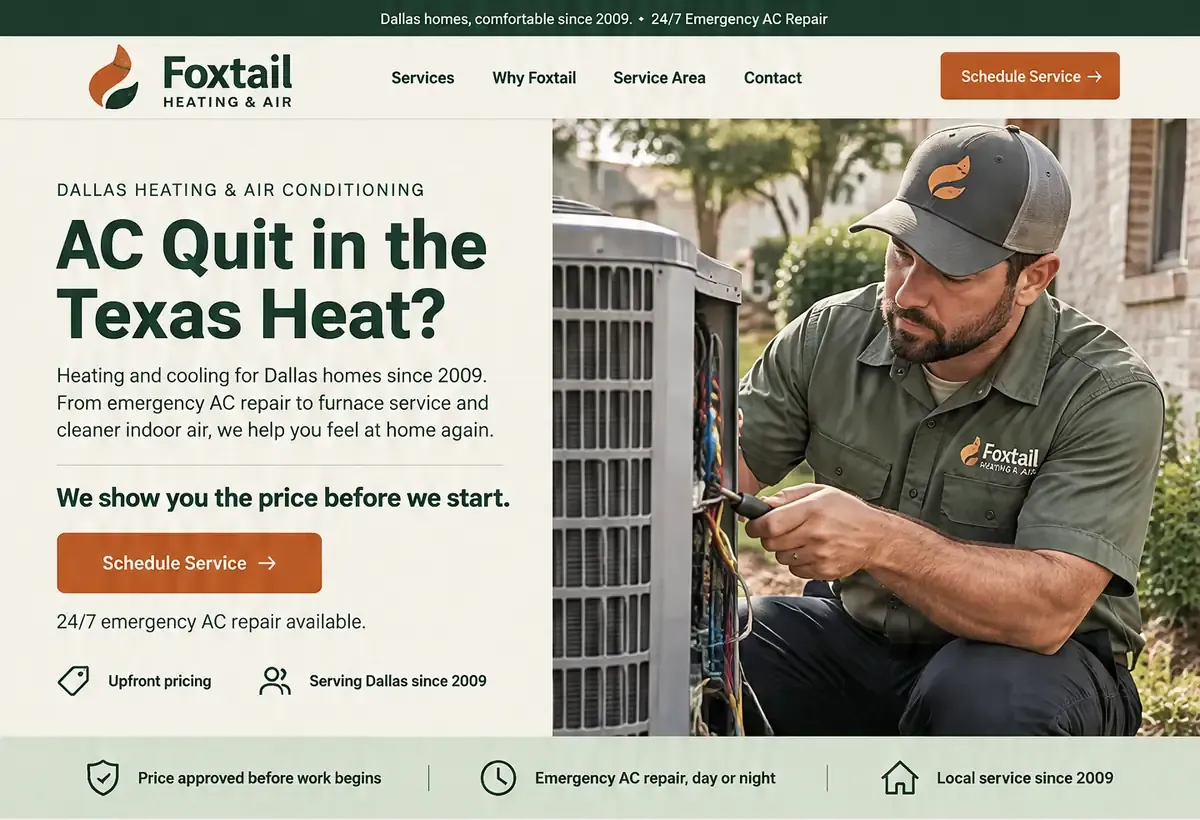
For plumbers, the first screen should hold the phone number and whether you answer at night. For restaurants, it's today's hours and buttons to see the menu, order or book a table. For HVAC companies, it's the number plus a clear split between urgent repairs and booking a tune-up, so someone with no heat and someone planning ahead both know where to tap.
Don't cram. A first screen with six buttons and a sliding banner is harder to act on than one with two. And people do scroll: everything below the fold still matters, it just has to earn the scroll by answering the next question a visitor has.
What to put above the fold on a phone
- A headline that says what you do and where, in plain words.
- Your phone number in the header, as a click-to-call button link.
- One main button, such as Call now, Book a visit or Get a quote.
- One line of proof: years in business, licensed and insured, or your review rating.
- A photo of your real work, sized so it doesn't push everything else down.
- Then check it on your own phone, not just on a computer screen.
How Future handles it
Your three free homepage designs start from three answers: the business name, the work and the town. In the Builder, switch to the phone layout to see exactly what fits on the first screen before you publish, then change the headline or main button with a click, or ask for it in plain words.
Future also builds every page to load quickly on a phone, with images sized for each screen, so the first screen shows up fast instead of a blank page while a big photo loads.