What is a client intake form?
Definition
A client intake form is a set of questions a new client or patient answers before a first meeting: who they are, how to reach them and what they need help with. Law firms, dental practices and other appointment-based businesses use them to prepare, spot poor fits early and save time in the first conversation.
Why a client intake form matters to a small business
A first meeting goes better when you already know the basics. An intake form turns "please call me" into a request you can act on: the kind of help needed, how urgent it is and how to reach the person. It also lets you route people to the right attorney, dentist or service, and politely decline work you don't take.
There's a difference between a first-contact form on your website and full intake. The website form should be short and ask only what you need to respond. Detailed or sensitive information, like medical history, insurance numbers or the facts of a legal matter, belongs in a secure system built for it, after you've spoken. Collecting too much on an ordinary web form creates risk for you and for the person filling it out.
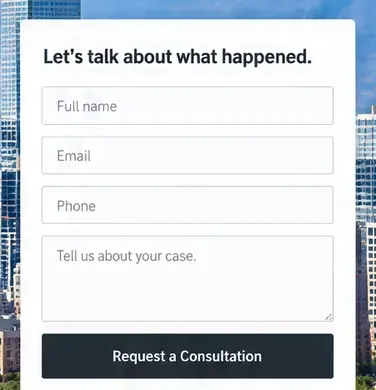
For law firms, a website intake form might ask for the practice area, a one-line summary, any deadline or court date and the best time to call; many firms add a note that sending it doesn't make someone a client. For dental practices, keep the web form to appointment requests and questions, and link to the new-patient forms in your practice software for health history.
What to ask on a website intake form
- Name, phone and email, and how they'd prefer you get in touch.
- What they need help with, as a dropdown of your services or practice areas.
- One short box to describe it, with a note not to include sensitive details.
- Any deadline or urgency, like a court date or a toothache.
- How they heard about you, so you know which marketing works.
- A line under the button saying when you'll reply.
How Future handles it
Every Future plan includes unlimited forms, so you can build a short intake form for each service or practice area. Requests reach your inbox and Contacts, and with visit paths turned on, you can see the practice or service pages the person opened first.
Future doesn't check your forms against legal, ethics or health privacy rules, and its forms aren't the place for health details or case files. Keep sensitive information in the practice or case software you already use, and link your site's buttons to its forms. Pro adds online booking for consultations and appointments.